



OPAS
Operational AssuranceAssure. Anticipate. Sustain.
Manages production operations end to end, from planning to output and from quality to cost, and helps catch deviations early.
The problem it addresses
What is produced on the shop floor differs from what the system shows: slips are entered late or not at all, quantities do not match, material issued to a work order differs from what was used, and timekeeping does not match production hours. Actual cost and the real cause of scrap remain unknown.
Who is it for?
- Production planning
- Production
- Quality
- Cost accounting
- Warehouse teams
What does it do?
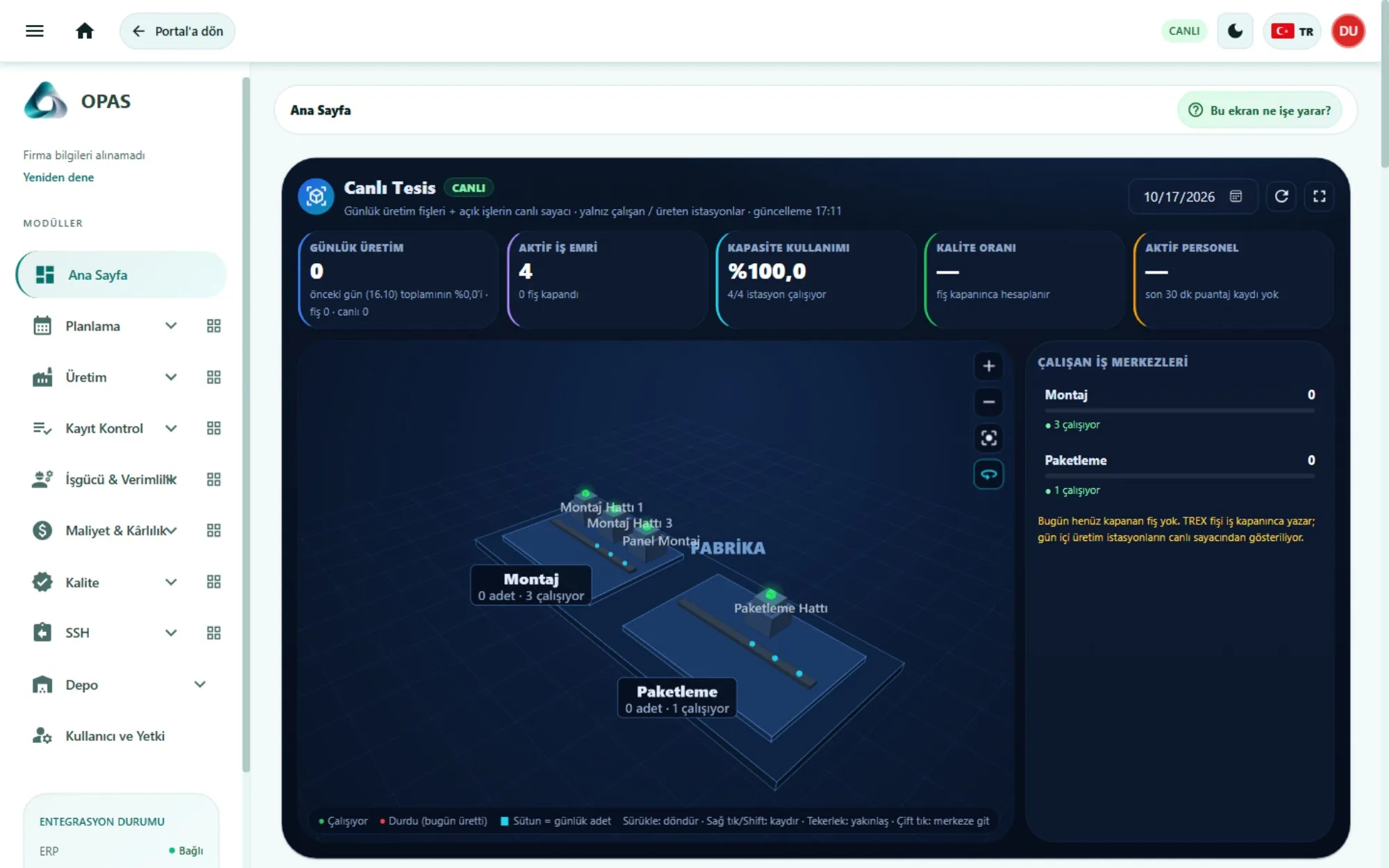
Live plant
- Lines and stations in a three-dimensional plant view
- Daily output, active work orders, capacity use and quality rate
- Unapproved-production alert and FAI sample calendar
- Line performance matrix and scrap-cause distribution
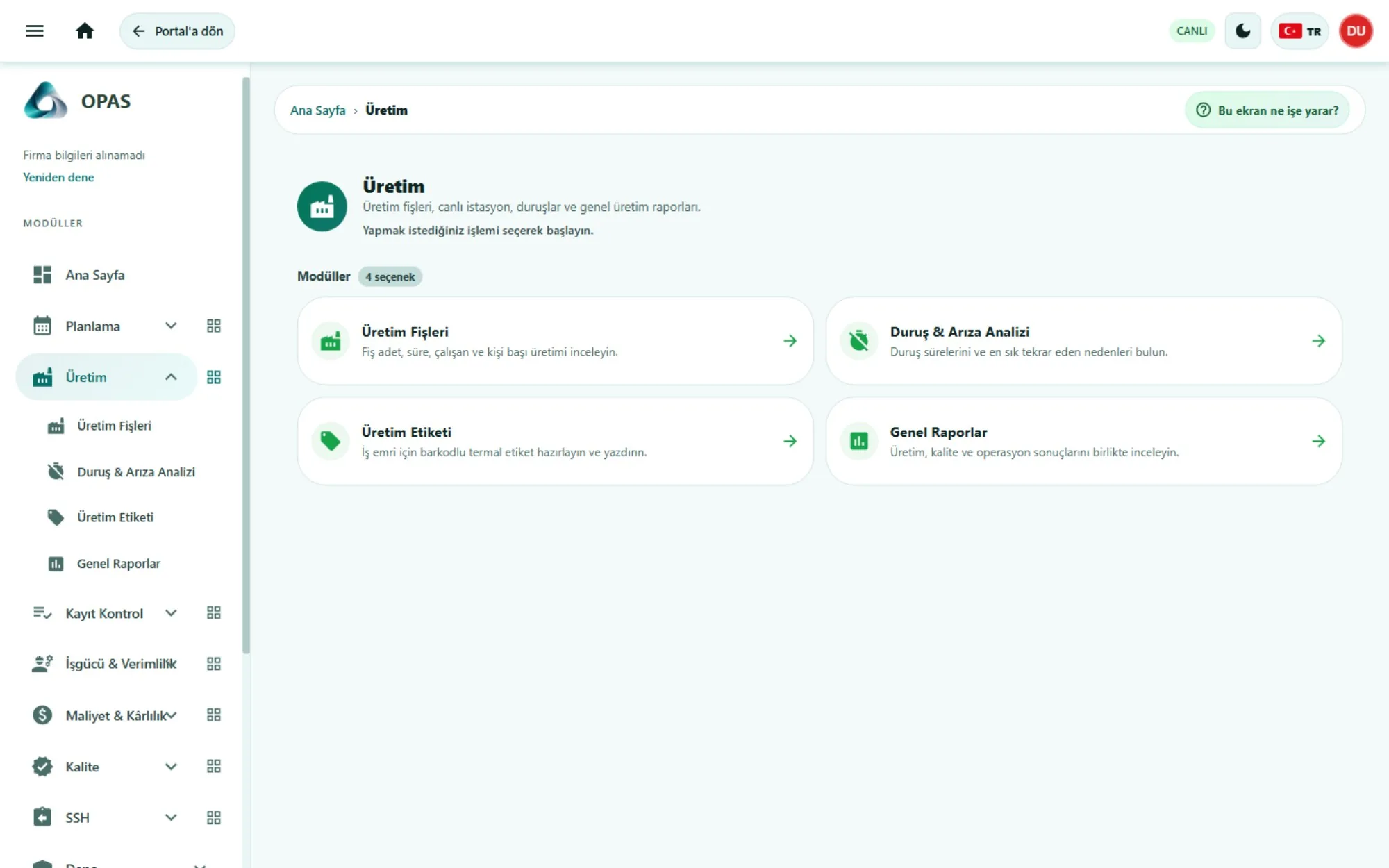
Planning and production
- Work orders and production plan
- Producibility analysis
- Production slips
- Downtime and failure analysis
- Barcode labels
Record control
- End-of-production check and reconciliation
- Quantity check and work-order material tracking
- Inter-warehouse transfer time check
- Comparison of time-and-attendance, panel and slip records
Quality
- First article inspection (FAI)
- Defect reports
- Cost of poor quality (COPQ)
Cost and profitability
- Cost and profit per slip; actual and monthly product cost
- Financial performance
- Labour hours, productivity per person and overall production efficiency
- After-sales: return intake, sorting, return to customer, return invoice tracking
- Warehouse movements
What does it improve?
Recording discipline is established on the shop floor, so production data reaching the ERP becomes reliable. Downtime, scrap and actual cost are visible per product and per slip, and the cost of poor quality is discussed in currency.
How does it fit into your systems?
| Data in | Daily production data collected on the shop floor (production slips, downtime, scrap, timekeeping, first article inspection) together with ERP and MES records. |
|---|---|
| Access | Through the platform’s single sign-on; production, quality and cost teams according to their roles. |
| Analysis | Compares shop-floor records with each other and with ERP records and shows deviations the same day; capacity, downtime, scrap, cost of poor quality and actual cost. |
| Who sees the result? | Production planning, production and quality managers; cost accounting. |
| Who makes the decision? | Planning and intervention decisions stay with the production and quality owners. |
In a company without an ERP, OPAS keeps the first record of operational data on the shop floor; the official accounting record stays in the accounting software and with the accountant. OPAS is not an ERP. Which records OPAS passes to the ERP is defined in the installation scope.
Source: product materials (October 2026) and the modules and integration document (November 2026).
OPAS — Screens
Images are taken from the product’s demo environment; the data on screen is sample data.
What can you explore next?
Discuss this application with your own data
In a first conversation we discuss your business priorities, your data sources and a suitable unit for a pilot.